


The New SDPL Catalog
Vega Discover
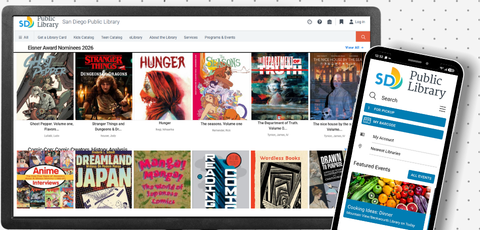
Quick links:
Catalog Tutorials
Vega Discover 101: Homepage Navigation
Vega Discover 101: Account Portal
Vega Discover 101: Holds and Searches
Vega Discover 101: Custom Catalogs & Book Records
SDPL To Go App 2.0
SDPL to Go 2.0 is the newly updated mobile app for San Diego Public Library available on Android or iOS. Users may log in to their accounts using their 14-digit library card barcode (card number begins with 01336) or by creating a username. Account password/PIN is the same for either.
With the app, users can:
- Search and quickly place holds on library books, DVDs and other items
- View account information, including current checkouts, room reservations and digital library cards
- Discover and register for upcoming library events
- Check out library items on the app (NFC-enabled devices only)
SDPL to Go 2.0: Creating a Username
SDPL to Go 2.0: Logging in with a Username
Frequently Asked Questions
Why did you switch from BiblioCommons to Vega Discover?
SDPL has moved to Vega Discover to provide a more unified and streamlined digital experience. Vega Discover is part of the Vega platform within the integrated library system ecosystem, bringing together web, discovery, events and marketing tools into a single, cohesive solution. This consolidation allows us to simplify workflows, improve consistency across services and better engage our community through a seamless, user-friendly interface.
The library is currently working with BiblioCommons to transfer user list and shelf data. This process may take some time. Unfortunately, past reviews and ratings could not be uploaded.
Reading history, for those who have enabled it, is tied to the specific SDPL cardholder account and may be viewed in Discover.
The new SDPL to Go 2.0 app is replacing the previous version. Some mobile devices will automatically update the app, however, if your app is not working, please download the latest version from the App Store or Google Play.
Why can't I log in with my username?
If you previously had a username in the BiblioCommons catalog, or the original SDPL to Go mobile app, it will no longer work. You will need to create a new username. For instructions, please see the tutorial here. You can also visit any San Diego Public Library location for assistance.
Reading history, for those who have enabled it, is tied to the specific SDPL cardholder account and may be viewed in Discover.
Why aren't my saved reading lists or my linked accounts showing up in the SDPL to Go 2.0 mobile app?
Unfortunately, the SDPL to Go 2.0 app currently does not synchronize lists or linked accounts with the Vega Discover web catalog. The vendor has assured us that work is in progress on synchronizing app and website accounts, and this functionality should be ready by the end of the year.
Reading history, for those who have enabled it, is tied to the specific SDPL cardholder account and may be viewed in Discover.
Why aren't my saved reading lists showing up in the Vega Discover catalog?
Because of technical issues, the vendor is still working on uploading lists from the previous BiblioCommons catalog to Vega Discover. If one or more of your lists have not been uploaded, please contact WebLibrary@sandiego.gov with your library card number, and let them know which lists are missing.
Contact Us
Having issues with the new catalog that are not covered here? Please reach out to staff at at your local library, by phone at 619-236-5800 or by email at weblibrary@sandiego.gov.